
On July 20, 2026, the Administrative Office of the United States Courts (AO) deployed OSCAR Release 6.5 with several enhancements for HR Administrators
The Schedule Report option is now available directly from the Reports page on human resource administrators' interfaces.
How to Use
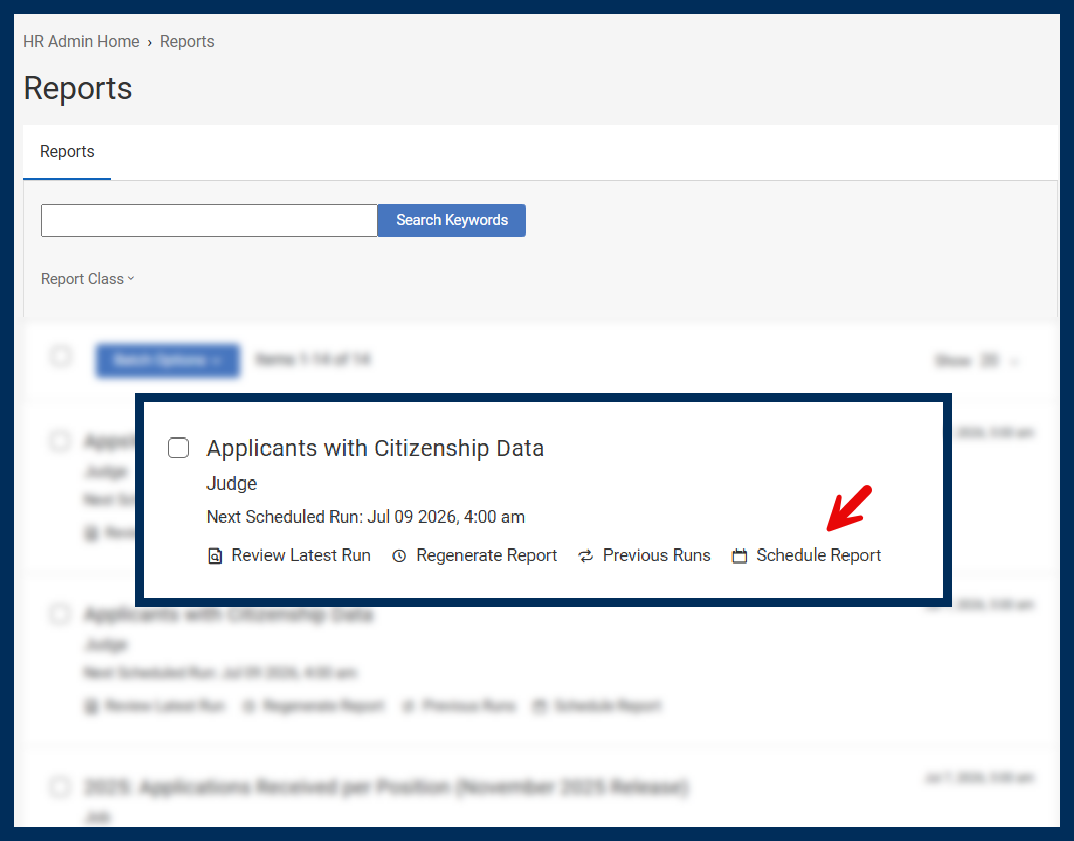 Screenshot of Schedule Report button
Each year in OSCAR you will be asked to review and accept the OSCAR Terms of Use before accessing your account.
This is the same Terms of Use you accepted when your OSCAR account was created. The acknowledgment is now presented annually to help ensure continued compliance with OSCAR policies.
Action Required
Your first login after July 30, 2026, you will be prompted during login to review the Terms of Use and select Accept to continue. This acknowledgment is required each year to maintain access to your OSCAR account.
Previously, when downloading application packets, you were unable to isolate the AO 78 form within the application packet without including other items categorized as "other documents." Application packet generation now allows you to include only AO 78 forms.
Available Options
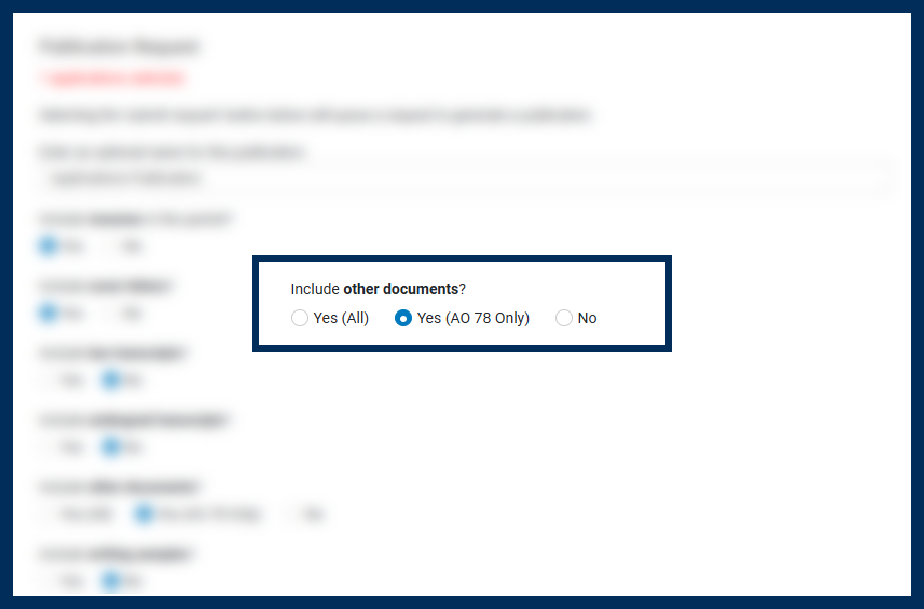 Screenshot of AO78 Only Option in Application Packet Downloads
For additional information on OSCAR, visit your training pages in OSCAR where you will find updated resources, including video tutorials, online help, and quick reference guides.
If you have any questions, please contact the OSCAR Program Office at 866-666-2120, Monday through Friday, 8 AM - 5 PM, or email oscar-support@ao.uscourts.gov.